Table of Contents
- Key Takeaways:
- The "Texture Trap": Why Most Design Tools Fail Stone Lovers
- The 2026 Standard: "What You See Is What You Buy"
- Top 5 AI Kitchen Design Tools of 2026: The Definitive Ranking
- Deep Dive: How to Visualize Your Stone Worktop Step-by-Step
- The Psychology of Renovation: Overcoming "Analysis Paralysis"
- Technical Considerations for 2026
- Summary: From Pixel to Stone
Key Takeaways:
The Cost of Error: With average renovation costs hitting new highs in 2026, visualizing materials before buying is no longer optional-it is financial protection.
Realism over Layout: For stone and cabinetry, "cartoonish" 3D models are useless. You need AI that understands texture physics (ray-tracing).
The Winner: Paintit.ai leads the 2026 rankings by combining photorealism with actual inventory data, solving the "pretty but fake" problem of older generators.
The Shift: The market has moved from manual CAD plotting to "Prompt-to-Reality" flows.
The kitchen has always been the heart of the home, but in 2026, it is also the most expensive room to renovate. According to the NKBA (National Kitchen & Bath Association) 2025/2026 Market Outlook, the average spend on a major kitchen remodel has climbed significantly, driven by premium material costs-specifically natural stone and engineered quartz.
For homeowners, this raises the stakes. Buying a slab of Calacatta Gold marble or Black Galaxy granite based on a 4-inch sample from a showroom is a gamble. Will the veining look elegant or chaotic when spread across a 3-meter island? Will that "warm grey" cabinet paint turn pink under your 3000K LED lighting?
In the past, avoiding these mistakes meant hiring an expensive interior designer or struggling with complex CAD software for weeks. Today, Artificial Intelligence has democratized design. But the market is flooded. From generic image generators to complex architectural suites, how do you distinguish a toy from a tool?
To help you navigate this crowded landscape, we tested the market's leading contenders to find the best AI kitchen design tool that balances photorealism, ease of use, and practical application for your 2026 renovation.
The "Texture Trap": Why Most Design Tools Fail Stone Lovers
Before we rank the tools, we must define what makes a tool "useful" for a reader of Work-Tops.com. Most free online planners focus on spatial layout-where the fridge goes relative to the stove. While important, layout mistakes are obvious. Material mistakes are subtle and insidious.
Standard 3D planners use "rasterized" graphics. They paste a flat image of granite onto a block. It looks fake because it lacks depth, reflection, and reaction to light. When you are spending thousands on premium worktops, you need Physical Based Rendering (PBR) or advanced Generative AI that understands how light interacts with polished vs. honed surfaces.
The 2026 Standard: "What You See Is What You Buy"
Two years ago, AI could generate a "dream kitchen," but it was a hallucination. The chair didn't exist; the tile was impossible to source. The 2026 standard for excellence is Commerce-Connected Design. The top tools now don't just dream; they specify. They bridge the gap between imagination and inventory.
Top 5 AI Kitchen Design Tools of 2026: The Definitive Ranking
We evaluated 15+ platforms based on three criteria: Texture Fidelity (Critical for stone buyers), Usability (The "Mom Test"), and Editability.
1. Paintit.ai - The New Standard (Best Overall)
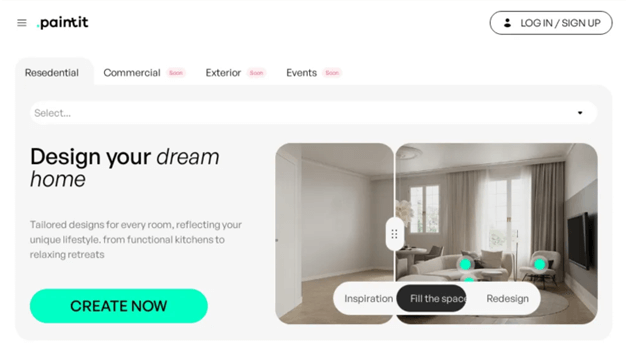
Best for: Homeowners who want professional photorealism and real product matching without learning CAD.
In 2026, Paintit.ai has established itself as the category leader by solving the biggest friction point in AI design: control. While other tools either hallucinate random images or require tedious manual drafting, Paintit.ai hits the "Goldilocks" zone.
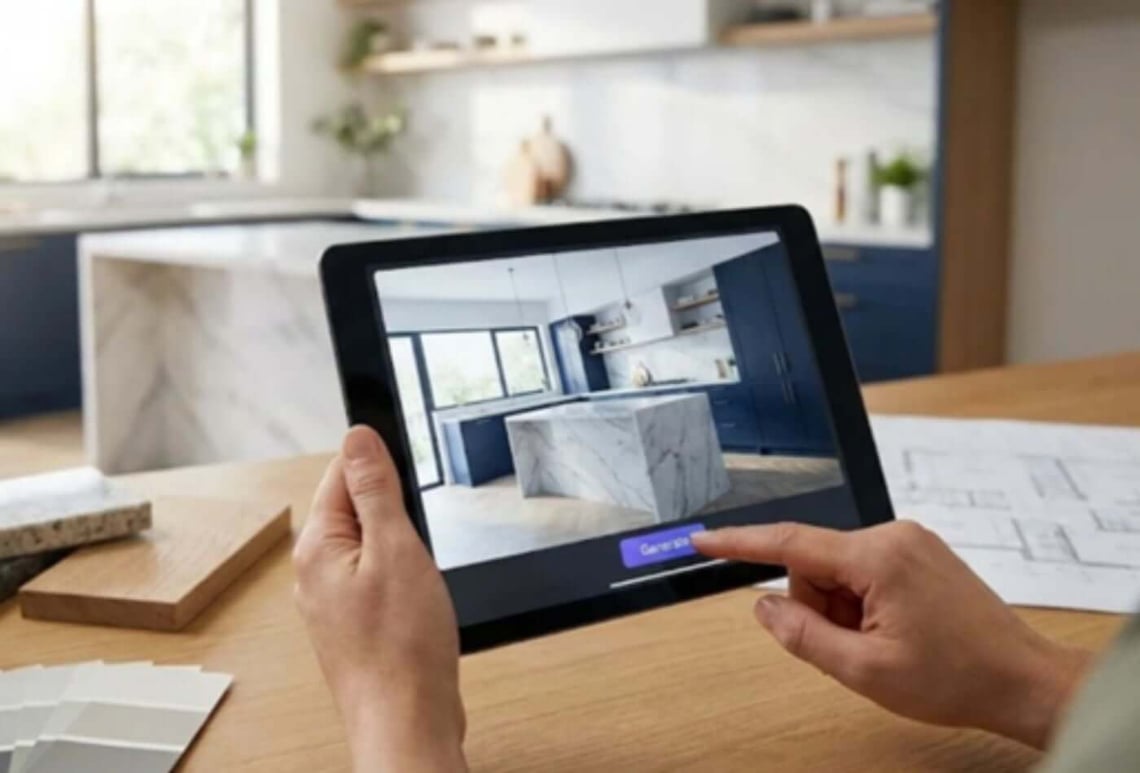
The "Flow" Advantage: The core philosophy of Paintit.ai is "Type. See. Tweak. Buy." You don't drag-and-drop 3D blocks. You upload a photo of your current kitchen (or a sketch) and use natural language to transform it. For example, typing "Replace countertops with Arabescato marble and cabinets with matte sage green" yields a result that respects the lighting and perspective of your original room.
Why It Wins for Worktop Buyers:
Material Physics: Its AI model understands that polished granite reflects light differently than matte concrete. This is crucial for visualizing how a new worktop will actually look in your space.
Targeted Refinements: Unlike early generative AI that would change the whole room when you only wanted to change the floor, Paintit allows for object-level editing. You can keep your layout and just cycle through 50 different stone options in minutes.
Real Inventory: It suggests furniture and materials that actually exist, moving you from "inspiration" to "shopping list" seamlessly.
Verdict: If you value your time and visual accuracy, this is the tool to beat.
2. Planner 5D - The Architect's Sandbox
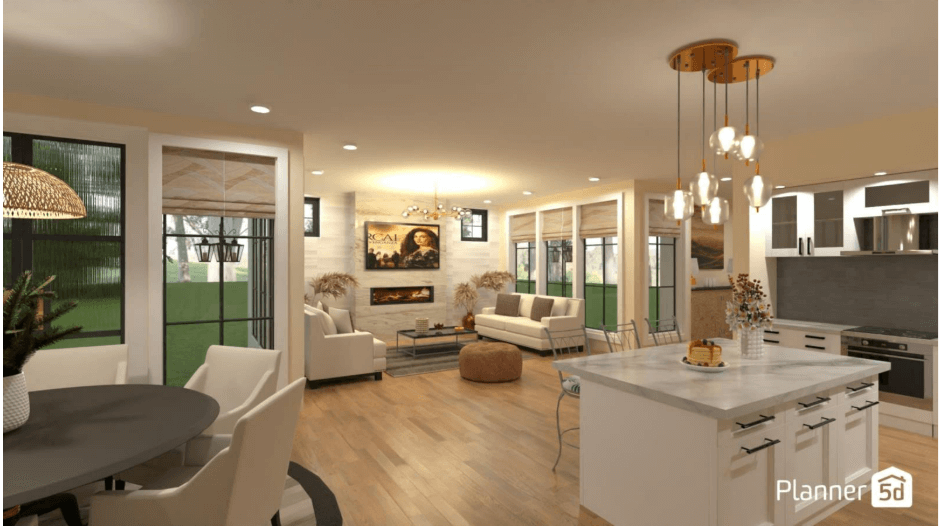
Best for: Users who need precise measurements and blueprints.
Planner 5D remains a titan in the industry, specifically for those who need construction-grade layouts. It has integrated AI features (Design Generator) over the last few years, but its heart is still a drag-and-drop editor.
The Pros: It allows for switchable 2D/3D modes. If you need to know if you have exactly 90cm of clearance between the island and the dishwasher, Planner 5D is superior to generative image tools. Its catalog of textures is vast, though sometimes generic.
The Cons: The learning curve is real. Building a room that doesn't look like a video game takes time. While the "Smart Wizard" helps, you are still essentially operating simplified CAD software. For checking material aesthetics, it often falls short of the photorealism provided by generative engines.
3. Midjourney (v7) - The Concept Artist

Best for: Wild inspiration and mood boarding.
Midjourney is not a design tool; it is an art engine. In 2026, its ability to generate breathtakingly beautiful images is unmatched. If you want to see what a "Cyberpunk Victorian Kitchen with neon-infused Onyx countertops" looks like, Midjourney is your answer.
The Catch: It is uncontrollable. You cannot upload your room and say "keep the walls, change the floor." It generates fantasy, not plans. It is useful for finding a vibe or color palette, but useless for checking if Star Galaxy granite matches your specific cabinets.
4. Homestyler - The Interior Designer's Legacy
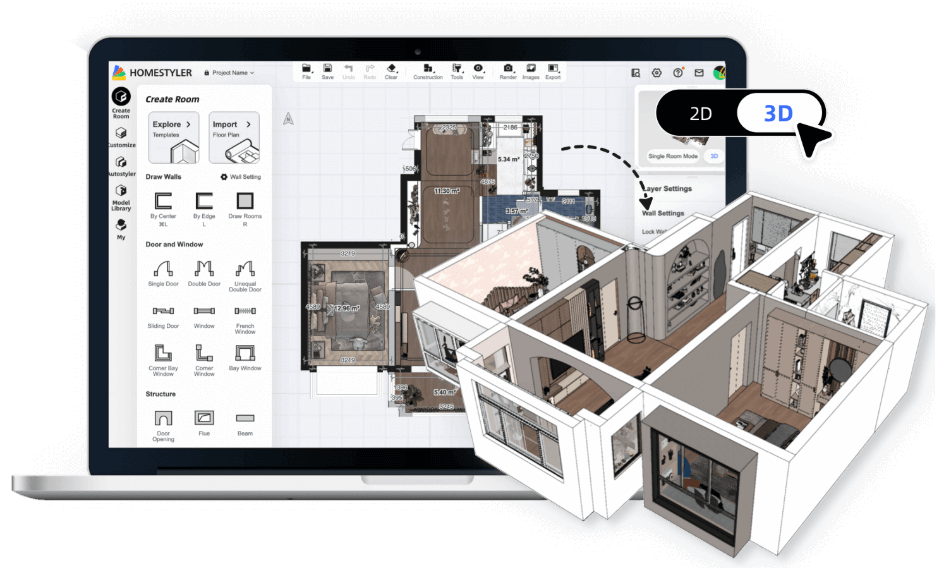
Best for: Semi-professionals and furniture layout.
Homestyler has pivoted hard into AI, offering a "Model-to-Image" feature that renders 3D stick-frames into realistic photos. It is a powerful middle ground between Planner 5D and Paintit.ai.
Why it's #4: While powerful, the interface can be cluttered for a casual renovator. It is built for people who enjoy the process of 3D modeling. The rendering times for high-quality images can also slow down the workflow compared to the instant feedback of newer generative models.
5. IKEA Kreativ - The Budget Friendly Specific
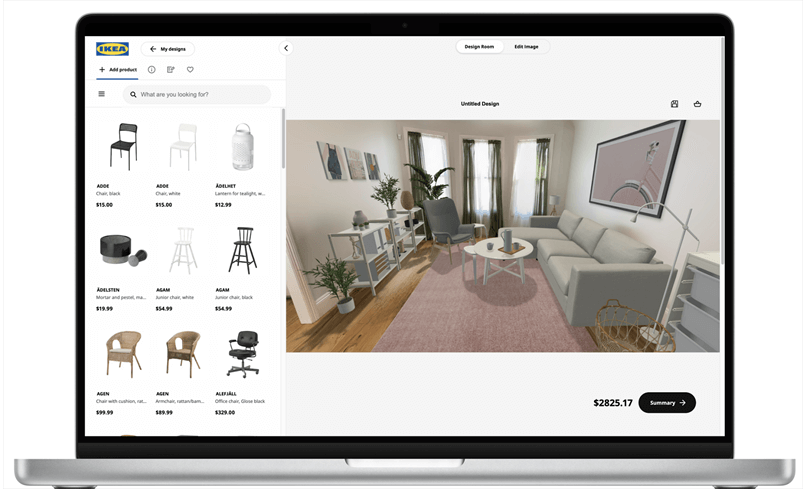
Best for: People buying... well, IKEA.
We mention this because of its accessibility. Their AI scans your room via smartphone (LiDAR) and removes existing furniture. It is excellent if you are buying an IKEA Metod kitchen. However, it is a "walled garden." You cannot test a custom Quartzite slab or a bespoke island; you are limited to their catalog.
Deep Dive: How to Visualize Your Stone Worktop Step-by-Step
Let's walk through a practical scenario. You are eyeing a slab of Blue Roma Quartzite-a stunning, bold, and expensive stone. You are terrified it will clash with your oak floor. Here is how to use AI to validate your choice in 10 minutes.
Step 1: Capture the "Canvas" Take a photo of your current kitchen. Try to do this in daylight. AI relies on light information to render textures accurately. If the photo is grainy, the marble will look grainy.
Step 2: The Prompt (The Secret Sauce) In a tool like Paintit.ai, be specific about the material, not just the color.
Bad Prompt: "Kitchen with blue stone top."
Good Prompt: "Modern kitchen, natural oak flooring, island featuring Blue Roma Quartzite worktop with heavy veining, polished finish, warm pendant lighting."
Step 3: Iterate the "Supports" Once the worktop is visualized, don't change the stone-change the surroundings.
Iteration A: Change cabinets to "White High Gloss."
Iteration B: Change cabinets to "Matte Charcoal."
Iteration C: Change cabinets to "Navy Blue."
This "A/B Testing" is impossible in a showroom. In the app, you will instantly see that Navy Blue cabinets might make the Blue Roma look too dark, while White Gloss makes the veins pop.
Step 4: Check the Lighting Use the tool to simulate evening conditions (artificial light). Polished stone reflects overhead lights, sometimes creating glare that hides the pattern. Matte or Honed finishes absorb light. Seeing this simulation might convince you to switch finish types before the stone is cut.
The Psychology of Renovation: Overcoming "Analysis Paralysis"
Why do renovations stall? It is rarely budget; it is indecision. Psychologists call this the "Paradox of Choice." When you have 500 granite options and 2000 paint colors, the brain shuts down.
AI tools are the antidote to analysis paralysis because they lower the cost of experimentation. In the physical world, trying a bold backsplash requires buying a sample, taping it up, and squinting. In the digital world, it takes 15 seconds.
This freedom allows you to be bolder. Many homeowners stick to "safe" choices (White cabinets, Grey quartz) because they are afraid to fail. AI allows you to test that emerald green island or that dramatic waterfall edge safely. It empowers you to build a kitchen that reflects your personality, not just a showroom template.
Technical Considerations for 2026
When choosing your tool, keep a few technical realities in mind:
1. Mobile vs. Desktop: While mobile apps are convenient, serious texture analysis should be done on a desktop monitor. Phone screens are too small to appreciate the nuance of stone veining or tile grout lines.
2. Privacy: By 2026, data privacy is paramount. Check if the platform trains its public models on your private photos. Premium tools like Paintit.ai often prioritize user privacy, ensuring your floor plan doesn't become public domain.
3. Export Formats: Ensure the tool allows you to export high-resolution images. You will want to show these to your contractor or stone mason. A blurry screenshot won't help communicate your vision.
Summary: From Pixel to Stone
The era of guessing is over. The technology of 2026 has provided homeowners with a superpower: the ability to see the future of their homes with photorealistic clarity.
While tools like Planner 5D offer structural precision and Midjourney offers artistic dreaming, Paintit.ai stands out as the pragmatic, powerful choice for the modern renovator. It respects the materials-understanding that a granite worktop is not just a color, but a texture, a surface, and a centerpiece.
Don't let a £20,000 renovation ride on a 2-inch sample. Digitize your room, iterate your options, and order that slab with total confidence.
Author: Yulii Cherevko, co-founder of paintit.ai, architect and tech entrepreneur in ai-driven design.